


 Centauri Carbon 2 Combo
 ELEGOO × emoji® Centauri Carbon 2 Combo
 Centauri 2 Combo
 Centauri Carbon
 OrangeStorm Giga
 OrangeStorm Giga All-in-One Family Combo
 OrangeStorm Giga Dual Printhead Upgrade Package
 OrangeStorm Giga Frequently Bought Together Bundle
 Neptune 4 Max
 Neptune 3 Pro
 Neptune 4 Plus
 Neptune 4 Pro
 Mars 5 Ultra
 Mars 4 Ultra
 Mars 4 Ultra with Mercury XS Bundle
 Mars 4 Ultra with Mercury Plus V3.0 Bundle
 Saturn 4 Ultra 16K
 Saturn 4 Ultra
 Saturn 3 Ultra
 Saturn 4 Ultra with Mercury Plus V2.0 Bundle
 Jupiter 2
 Jupiter 2 with Mercury Plus V3.0 Bundle
 Jupiter 2 with Mercury XS Bundle
 Jupiter 2 Pro Bundle – Mercury Plus V3.0 & Resin
 Jupiter 2 Pro Bundle – Mercury XS & Resin
 Mercury Plus V3.0
 Mercury Plus V2.0
 Mercury XS Bundle
 Mercury X Bundle
 ELEGOO M1 Ultra
 Centauri Carbon 2 Combo + M1 Ultra + 4 kg Filament
 Saturn 4 Ultra 16K + M1 Ultra + 2 kg Resin
 PETG HF Filament 10 kg
 PETG Pro Filament 10 kg
 PLA Silk Filament 10 kg
 PLA Basic Filament 10 kg
 PLA Filament 10 kg
 PC Filament 10 kg
 ASA Filament 10 kg
 Mini 250 g Filament Bundle
 PLA CMYK
 ASA-CF
 TPU 72D
 PETG HF
 PLA Plus
 PLA Basic Refill
 Rapid PLA Plus
 PLA Pro
 3 kg Filament Spool
 Rapid PLA Plus 5 kg Spool
 PLA Silk Filament 5 kg
 Rapid PETG Filament 10 kg
 PLA Pro Filament 10 kg
 PLA Silk
 PLA Matte
 PLA Wood
 PLA Galaxy
 PLA Sparkle
 PLA Glow
 PLA Metallic
 PLA Marble
 PLA Marble Filament 5 kg
 PLA Marble Filament 10 kg
 PLA Galaxy Filament 5 kg
 PLA-CF
 Rapid PETG
 PETG Pro
 PETG-CF
 PETG-GF
 PETG HF Filament 5 kg
 PETG Pro Filament 5 kg
 PETG-GF Filament 5 kg
 PETG-CF Filament 5 kg
 PETG-GF Filament 10 kg
 Rapid PETG Filament 5 kg
 TPU 95A
 Rapid TPU 95A
 TPU 95A Filament 10 kg
 Rapid TPU 95A Filament 10 kg
 Rapid TPU 95A Filament 5 kg
 TPU 95A Filament 5 kg
 ASA
 ABS
 ABS Filament 10 kg
 PC
 PC Filament 5 kg
 PAHT-CF
 PLA-CF Filament 5 kg
 PLA-CF Filament 10 kg
 PETG-CF Filament 10 kg

 Standard Resin 10 kg
 8K Standard Resin 10 kg
 8K Water-Washable Resin 10 kg
 Water-Washable ABS-Like Resin 10 kg
 Tough Resin 10 kg
 Water-Washable Resin 10 kg
 ABS-Like Resin Grey 10 kg
 Standard Resin V2.0 10 kg
 8K Water-Washable Resin V2.0
 8K Standard Resin
 Standard Resin
 Standard Resin V2.0
 Rapid Standard Resin
 8K Water-Washable Resin
 Water-Washable Resin
 Water-Washable Resin V2.0
 Water-Washable ABS-Like Resin
 8K Water-Washable ABS-Like Resin
 ABS-Like Resin
 ABS-Like Resin V2.0
 ABS-Like Resin V3.0
 ABS-Like Resin V3.0+
 ABS-Like Resin V3.0 Pro
 8K ABS-Like Resin V3.0
 Tough Resin

 CANVAS for Centauri Carbon
 CANVAS for Centauri Carbon 2/Centauri 2 Series
 H1 HT
 Marsmate Air Purifier
 Mini Air Purifier (2 Pcs)
 Mini Heater
 Fast UV Cure Putty
 3D Stainless Steel Funnel
 Silicone Mat (2 Pcs)
 For Centauri Series
 For Orangestorm Giga
 For Neptune 4 Series
 For Neptune 3 Series
 For Mars Series
 For Saturn Series
 For Jupiter Series
 LCD Screen
 Build Plate
 ACF/FEP/PFA
 Resin Tank
 Washing Bucket for Mercury X/XS Bundle
 Washing Bucket for Mercury Plus V2.0
 Electric Screwdriver Set
 HandMold UV Cure Putty











Table of contents
- Quick decision: broader forms or a mixed mechanical workload?
- M1 Ultra vs original EINSTAR: key specifications
- Start with the size and geometry you repeatedly capture
- Point distance is not a substitute for accuracy
- Tracking, working space, and moving around the subject
- Software, computer requirements, and the finished model
- Which projects suit each scanner?
- Cost: verify the original model and the complete package
- Which scanner should you choose?
- Frequently asked questions
A costume studio may spend one day capturing a torso form and the next designing a small fastening component. The original EINSTAR is aimed at broader infrared capture. M1 Ultra adds blue-laser patterns for the smaller mechanical work that can sit beside those large projects.
Quick decision: broader forms or a mixed mechanical workload?
Choose M1 Ultra when small features, accessible recesses, and changing part sizes are regular work. Consider the original EINSTAR when your priority is medium-to-large forms, color capture, and an established computer-based scanning setup.
For a closer look at the hardware and capture workflow, see the complete M1 Ultra guide.
This article covers the original EINSTAR, as named on the device. EINSTAR 2 and EINSTAR VEGA have different hardware and workflows. Both scanners in this comparison use a computer; M1 Ultra adds integrated wireless handling, while the original EINSTAR is tethered.
M1 Ultra vs original EINSTAR: key specifications
| Feature | ELEGOO M1 Ultra | Original EINSTAR |
|---|---|---|
| Capture technology | 34 crossed, 7 parallel, and single-line blue laser; NIR structured light | Infrared VCSEL structured light; original EINSTAR |
| Manufacturer-specified accuracy | Blue laser up to 0.02 mm; NIR up to 0.05 mm | The point-distance figure below is not an accuracy rating |
| Detail metric | Blue-laser resolution: 0.05-2 mm | Point distance: 0.1-3 mm |
| Published object-size guidance | Blue-laser minimum: 5 × 5 × 5 mm; NIR minimum: 150 × 150 × 150 mm | Suggested minimum: 100 × 100 × 100 mm |
| Working distance | Crossed/single-line laser: 200-600 mm; parallel laser: 160-400 mm; NIR: 170-1,200 mm | Effective range: 160-1400 mm |
| Field of view | Varies by capture mode and working distance | 434 × 379 mm at the specified optimal distance |
| Frame rate | Blue laser: up to 100 fps wired/60 fps wireless at 1,520 × 1,200; NIR: up to 30 fps | Infrared capture: up to 14 fps |
| Host and connection | Windows PC/Mac; wired or Wi-Fi 6; integrated battery | Tethered computer workflow; USB 2.0 or above |
| Screen and weight | 3-inch touchscreen; 511 g including battery | Computer preview; 500 g scanner body |
| Tracking | Marker-based and suitable marker-free capture | Feature, texture, hybrid, and global-marker alignment |
| Color | 24-bit color texture mapping | RGB texture capture |
| Common mesh exports | STL, OBJ, PLY; ASC point-cloud export | STL, OBJ, PLY, 3MF; P3 marker data is a separate output type |
| Windows recommendation | Recommended: Core i7 13th generation or newer, RTX 4060 or better with 8 GB VRAM, 32 GB RAM | Published recommendation includes Core i7-11800H and 32 GB RAM; verify compatible NVIDIA GPU requirements |
| Mac configuration | Minimum M2/16 GB; recommended M4/32 GB; macOS 14 or later | M1 Pro or higher with at least 8 GPU cores; 32 GB RAM; macOS Ventura 13 or newer |
| Listed price | A$2,999 | A$1,253 (sold out) |
Start with the size and geometry you repeatedly capture
The original EINSTAR’s infrared system is a relevant option for a sculptor digitizing a plaster bust or a fabricator recording the contours of a seat. Those projects depend on following broad surfaces, maintaining tracking as you move, and joining views without losing the overall form.
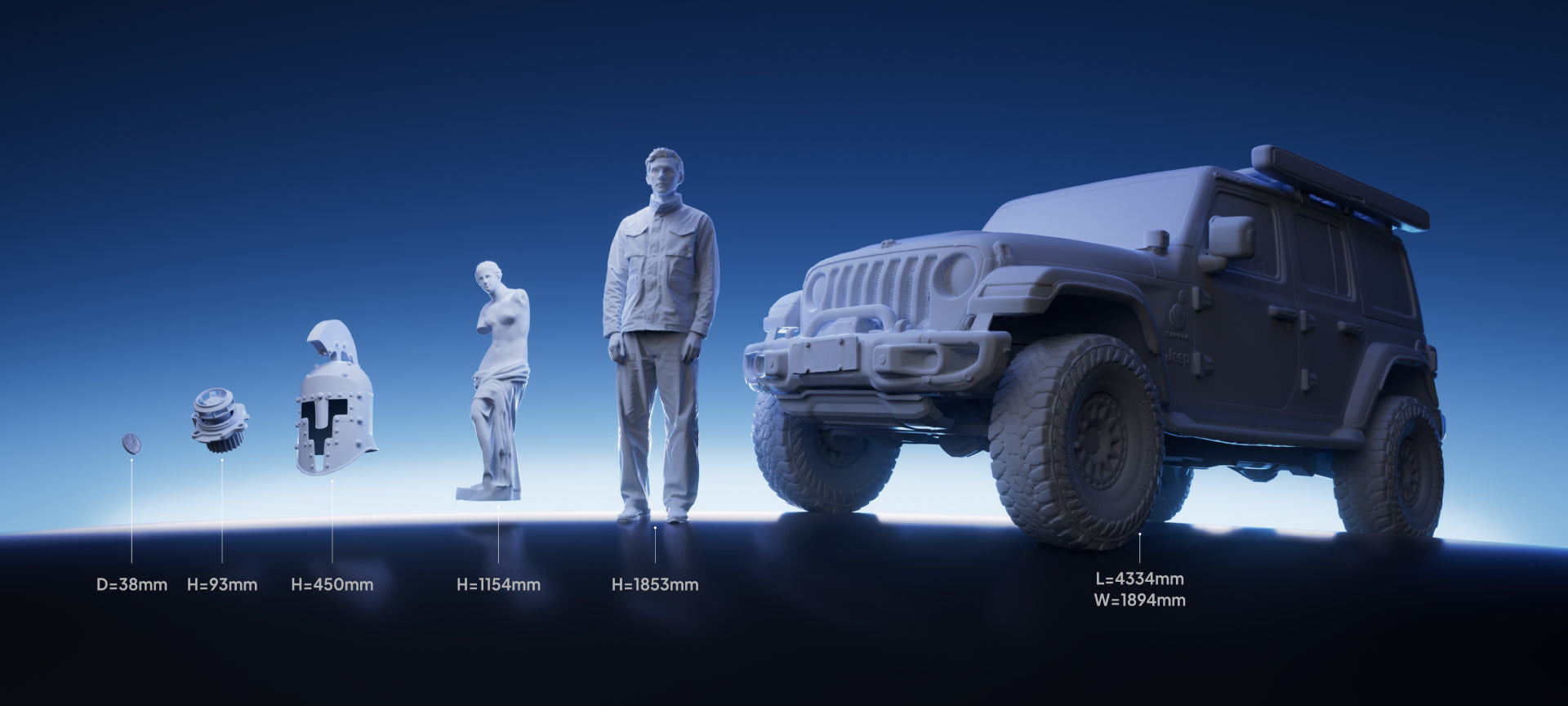
Its suggested minimum object size is much larger than M1 Ultra’s stated blue-laser minimum. That difference gives you a useful first filter. If your work consists mainly of small fittings, miniature details, or recessed mechanical features, M1 Ultra’s laser modes deserve the closer look.
For a larger molded dashboard panel, either purchase should be evaluated around the actual output you need. Is the scan a visual reference for a custom overlay, or must it locate attachment features across the full width? The latter requires dimensional checks as well as a recognizable surface.
M1 Ultra’s crossed, parallel, and single-line patterns give you different approaches as the geometry changes. Its NIR mode remains available for broader subjects, but the small-object capability belongs to the blue-laser modes. Treat those as separate operating choices.
A small minimum size also does not promise success on every tiny part. A thin edge, featureless flat, or hidden underside can still be difficult. Judge the feature you need to retain, not just whether the object fits a published size range.
Point distance is not a substitute for accuracy
The original EINSTAR’s published point-distance range describes spacing in the captured data. It should not be relabeled as a dimensional-accuracy specification. M1 Ultra’s manufacturer-specified blue-laser accuracy and its resolution range describe different properties too.
Accuracy is closeness to a reference measurement. Precision concerns repeated measurements. Resolution or point spacing concerns the detail represented in the data, while volumetric accuracy addresses dimensional behavior over a larger extent. A dense-looking mesh can still have an incorrectly scaled span or a misaligned join.
For an exhibit model, the visible silhouette and surface character may be the priority. For a fitted cover, the distance between mounting points and the shape of the contact surfaces matter more. Decide which checks will establish success before comparing headline numbers.
Request an untextured sample close to your subject and inspect it at the scale you will use. For an assembly, measure across the useful span rather than checking a single small patch. If critical features must be rebuilt in CAD, preserve those reference dimensions separately from the scan.
The specification table deliberately keeps EINSTAR’s point distance in its own row. It provides no basis for converting that number into an accuracy ratio against M1 Ultra.

Tracking, working space, and moving around the subject
A scan of a person or a large organic form requires enough room to keep the scanner in range and maintain a clear view. The subject also needs to stay sufficiently still while overlapping views are captured. Broad coverage does not remove those practical requirements.
EINSTAR offers feature, texture, hybrid, and global-marker alignment options. The choice depends on what the surface gives the software to recognize. Distinct shape or texture can help; a smooth, repeated surface may need a different setup.
M1 Ultra supports marker-based approaches and marker-free options on suitable surfaces. Its built-in battery, Wi-Fi, and touchscreen let you move while the computer remains part of the workflow. With the original EINSTAR, plan the cable route, power arrangement, and computer position before starting a full circuit of the subject.
For a workshop scanning an upholstered chair, that may simply mean placing the workstation where the cable can move safely around it. For a fixed installation with limited access, the convenience of integrated wireless hardware becomes a more important purchase criterion.
Neither a tracking mode nor a choice of light source makes all materials easy. Hair, polished metal, transparent surfaces, and repeated geometry present different problems. If an object cannot accept markers or a surface coating, confirm an appropriate method on comparable material.

Software, computer requirements, and the finished model
The original EINSTAR uses a computer-based EXStar workflow. M1 Ultra also requires a compatible Windows PC or Mac during capture, with wired or wireless connections. In both cases, check the current software requirements against the exact computer you intend to use.
Memory requirements matter when a project contains several large captures. A successful connection does not establish that your computer will comfortably align, edit, and export a substantial dataset. Keep space for both the raw project and working copies.
Published frame rates describe acquisition under the relevant conditions. M1 Ultra’s blue-laser wired and wireless limits differ; its NIR mode also has a separate limit. EINSTAR’s infrared maximum belongs to its own capture system. A higher maximum does not establish a shorter route to a clean, checked model.
Both scanners can feed common mesh workflows. For a custom storage insert, the scan may provide the shape of the equipment that the insert needs to surround. CAD then defines wall thickness, clearance, and printable features. The scanner cannot decide those design requirements for you.
Color data can help with visual records or textured digital assets. For a plain-color print, inspect geometry without the texture so that surface detail is not confused with a photograph applied to the mesh.
Use our introduction to 3D scanning for the steps from measured points to meshes and print preparation.
Which projects suit each scanner?
Broader creative and body-form work
The original EINSTAR remains worth assessing for a studio that already has a suitable computer and mainly captures people, sculptures, props, or furniture-scale shapes. If an existing setup consistently produces usable models, evaluate any change against an actual weakness in that workflow.
Smaller mechanical features alongside larger objects
M1 Ultra is the more flexible choice when small components, accessible holes, and dark mechanical surfaces recur among broader jobs. Dedicated laser patterns give the operator options that the original infrared-only EINSTAR does not provide.
Independent processing at the object
Neither model here is a standalone workstation. If leaving the computer behind is the decisive requirement, read M1 Ultra vs Sermoon P1 before deciding.
Cost: verify the original model and the complete package
ELEGOO M1 Ultra · A$2,999 / EINSTAR · A$1,253 (sold out). Confirm the exact model, package and availability with the seller.
For remaining stock or a used unit, confirm the model name, calibration equipment, required cables, power supply, and applicable support terms. Ask for a working demonstration with the software and computer combination you expect to use.
Computer cost belongs in both budgets. The original EINSTAR’s recommended configuration includes substantial memory, and its Mac workflow has specific processor and operating-system requirements. M1 Ultra also has defined Windows and Mac requirements. Avoid treating an existing laptop as suitable until you have checked it.
Then add supports, markers, surface preparation, and downstream design software. A package that covers broad creative scanning may be good value for that studio while leaving a small-parts workshop needing another tool. Compare what the purchase will actually enable you to complete.
Which scanner should you choose?
Choose M1 Ultra for a workshop that mixes detailed mechanical parts with larger reference objects. Its blue-laser modes, NIR option, and integrated wireless hardware make the purchase about recurring capture needs rather than a single headline number.
Consider the original EINSTAR for a computer-based studio focused on broader forms and color data. Check its sample output, hardware package, and current software support for your intended workflow.
Review the M1 Ultra product details and ELEGOO 3D scanners, or use our buying guide to compare other project types. The best fit is the setup that captures the geometry your next design depends on.
Frequently asked questions
Does this comparison cover EINSTAR 2?
No. It covers the original EINSTAR. The newer EINSTAR 2 and standalone VEGA have different specifications and should be evaluated separately.
Does the original EINSTAR have blue-laser scanning?
No. It uses infrared VCSEL structured light. M1 Ultra adds crossed, parallel, and single-line blue-laser modes alongside NIR capture.
Is EINSTAR’s 0.1 mm point distance its accuracy?
No. Point distance describes data spacing. It should not be compared directly with an accuracy specification or presented as a dimensional tolerance.
Can either scanner work without a computer?
No. M1 Ultra supports wireless handling with a compatible computer, while the original EINSTAR uses a tethered computer workflow.
Which is the more suitable starting point for small fitted parts?
M1 Ultra’s dedicated laser modes and smaller stated blue-laser object envelope make it the more relevant candidate. Verify the required features and mating dimensions in representative scan data before manufacturing the replacement.


