


 Centauri Carbon 2 Combo
 ELEGOO × emoji® Centauri Carbon 2 Combo
 Centauri 2 Combo
 Centauri Carbon
 OrangeStorm Giga
 OrangeStorm Giga All-in-One Family Combo
 OrangeStorm Giga Dual Printhead Upgrade Package
 OrangeStorm Giga Frequently Bought Together Bundle
 Neptune 4 Max
 Neptune 3 Pro
 Neptune 4 Plus
 Neptune 4 Pro
 Mars 5 Ultra
 Mars 4 Ultra
 Mars 4 Ultra with Mercury XS Bundle
 Mars 4 Ultra with Mercury Plus V3.0 Bundle
 Saturn 4 Ultra 16K
 Saturn 4 Ultra
 Saturn 3 Ultra
 Saturn 4 Ultra with Mercury Plus V2.0 Bundle
 Jupiter 2
 Jupiter 2 with Mercury Plus V3.0 Bundle
 Jupiter 2 with Mercury XS Bundle
 Jupiter 2 Pro Bundle – Mercury Plus V3.0 & Resin
 Jupiter 2 Pro Bundle – Mercury XS & Resin
 Mercury Plus V3.0
 Mercury Plus V2.0
 Mercury XS Bundle
 Mercury X Bundle
 ELEGOO M1 Ultra
 Centauri Carbon 2 Combo + M1 Ultra + 4 kg Filament
 Saturn 4 Ultra 16K + M1 Ultra + 2 kg Resin
 PETG HF Filament 10 kg
 PETG Pro Filament 10 kg
 PLA Silk Filament 10 kg
 PLA Basic Filament 10 kg
 PLA Filament 10 kg
 PC Filament 10 kg
 ASA Filament 10 kg
 Mini 250 g Filament Bundle
 PLA CMYK
 ASA-CF
 TPU 72D
 PETG HF
 PLA Plus
 PLA Basic Refill
 Rapid PLA Plus
 PLA Pro
 3 kg Filament Spool
 Rapid PLA Plus 5 kg Spool
 PLA Silk Filament 5 kg
 Rapid PETG Filament 10 kg
 PLA Pro Filament 10 kg
 PLA Silk
 PLA Matte
 PLA Wood
 PLA Galaxy
 PLA Sparkle
 PLA Glow
 PLA Metallic
 PLA Marble
 PLA Marble Filament 5 kg
 PLA Marble Filament 10 kg
 PLA Galaxy Filament 5 kg
 PLA-CF
 Rapid PETG
 PETG Pro
 PETG-CF
 PETG-GF
 PETG HF Filament 5 kg
 PETG Pro Filament 5 kg
 PETG-GF Filament 5 kg
 PETG-CF Filament 5 kg
 PETG-GF Filament 10 kg
 Rapid PETG Filament 5 kg
 TPU 95A
 Rapid TPU 95A
 TPU 95A Filament 10 kg
 Rapid TPU 95A Filament 10 kg
 Rapid TPU 95A Filament 5 kg
 TPU 95A Filament 5 kg
 ASA
 ABS
 ABS Filament 10 kg
 PC
 PC Filament 5 kg
 PAHT-CF
 PLA-CF Filament 5 kg
 PLA-CF Filament 10 kg
 PETG-CF Filament 10 kg

 Standard Resin 10 kg
 8K Standard Resin 10 kg
 8K Water-Washable Resin 10 kg
 Water-Washable ABS-Like Resin 10 kg
 Tough Resin 10 kg
 Water-Washable Resin 10 kg
 ABS-Like Resin Grey 10 kg
 Standard Resin V2.0 10 kg
 8K Water-Washable Resin V2.0
 8K Standard Resin
 Standard Resin
 Standard Resin V2.0
 Rapid Standard Resin
 8K Water-Washable Resin
 Water-Washable Resin
 Water-Washable Resin V2.0
 Water-Washable ABS-Like Resin
 8K Water-Washable ABS-Like Resin
 ABS-Like Resin
 ABS-Like Resin V2.0
 ABS-Like Resin V3.0
 ABS-Like Resin V3.0+
 ABS-Like Resin V3.0 Pro
 8K ABS-Like Resin V3.0
 Tough Resin

 CANVAS for Centauri Carbon
 CANVAS for Centauri Carbon 2/Centauri 2 Series
 H1 HT
 Marsmate Air Purifier
 Mini Air Purifier (2 Pcs)
 Mini Heater
 Fast UV Cure Putty
 3D Stainless Steel Funnel
 Silicone Mat (2 Pcs)
 For Centauri Series
 For Orangestorm Giga
 For Neptune 4 Series
 For Neptune 3 Series
 For Mars Series
 For Saturn Series
 For Jupiter Series
 LCD Screen
 Build Plate
 ACF/FEP/PFA
 Resin Tank
 Washing Bucket for Mercury X/XS Bundle
 Washing Bucket for Mercury Plus V2.0
 Electric Screwdriver Set
 HandMold UV Cure Putty











Table of contents
- Quick picks: the best scanner for your project
- Start with what you want to print
- Six scanners, and where each fits
- Compare the specifications behind those recommendations
- Read accuracy, detail, and speed as different specifications
- Choose for the file you need at the end
- Check a sample mesh before buying
- Budget for the complete setup
- Which scanner should you choose?
- Frequently asked questions
You have a broken radio cover on the bench and a printer ready to make its replacement. A scan can give you the curved shape—but choosing the right scanner starts with the mounting tabs, surface finish, and dimensions that the new cover needs to get right.
For varied workshop projects, start with ELEGOO M1 Ultra. For small indoor objects, consider Revopoint MINI 2; for capture without a laptop, MIRACO Plus. Ferret SE is the lower-cost starting point, while EINSTAR 2 suits larger forms and MetroX Pro fits a dedicated indoor parts station.
Our selections connect product specifications with the work involved: what you can capture, the equipment you need beside it, and the steps between a scan and a useful print.
Quick picks: the best scanner for your project
| Scanner | Best fit | Reason to shortlist it | Listed price |
|---|---|---|---|
| ELEGOO M1 Ultra | Mixed workshop projects | Several laser patterns, NIR, and integrated wireless hardware | A$2,999 |
| Creality CR-Scan Ferret SE | A lower-cost first scanner | General shapes and forgiving first projects | A$493 (sold out) |
| Revopoint MINI 2 | Small indoor objects | Close-range blue structured light | A$1,259 (Standard Edition) |
| Revopoint MIRACO Plus | Scanning without a laptop | Capture and processing on the device | A$2,976 |
| EINSTAR 2 | Larger forms and props | Wide infrared coverage plus a laser mode | A$1,999 |
| Revopoint MetroX Pro | A fixed indoor parts station | Laser, full-field, and automated turntable workflows | A$1,379 (Standard Edition) |
Start with what you want to print
Small decorative objects
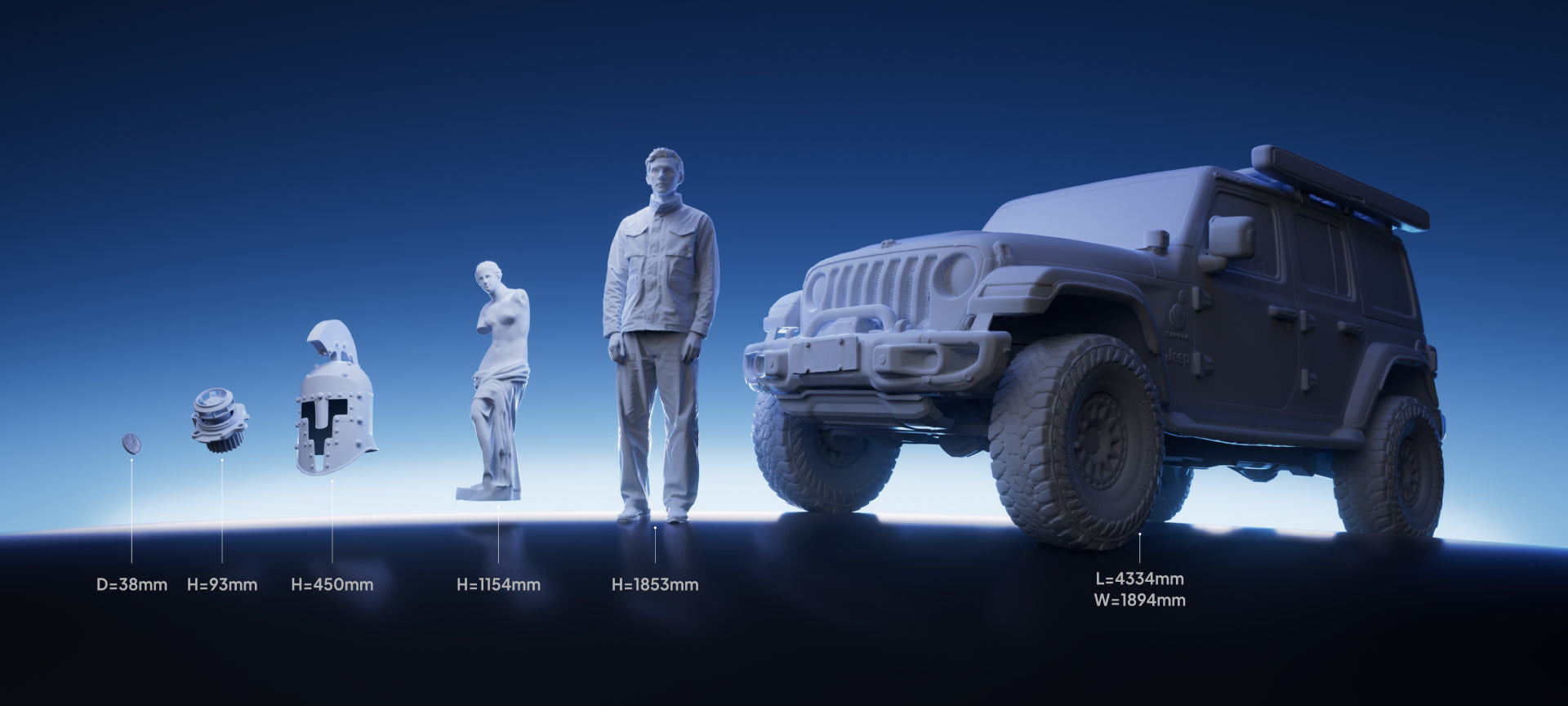
A carved chess knight needs recognizable ears, shallow cuts, and a clean outline after resizing. For resin printing, inspect the untextured mesh at the intended print size. Photographic color can make a scan look detailed even when the underlying surface is soft. MINI 2 is a focused candidate; M1 Ultra is worth considering if small objects share the bench with larger work.
Functional replacement parts
A camera mount has surfaces that establish its shape and features that control its fit. Scan the contour, then measure and rebuild the mounting holes, seats, and clearances. M1 Ultra and MetroX Pro deserve attention for this kind of work. Allow time for CAD and a fit check: accurately reproducing a worn surface would also reproduce the wear.
Large props and body-form references
A costume maker working from a foam helmet needs broad coverage, access underneath, and a way to check missing areas before moving the object. EINSTAR 2’s infrared coverage is relevant here. MIRACO Plus removes the laptop from the capture session; M1 Ultra adds laser options when the project also includes detailed fittings.
Buying shortcut: Shortlist for the smallest feature you need to reproduce, then check that the scanner can comfortably cover the largest object you regularly handle.
Six scanners, and where each fits
ELEGOO M1 Ultra: a flexible workshop setup
M1 Ultra makes sense when your scan queue changes every week: a shaped tool grip, a motor housing with a recessed pocket, then a larger fabricated panel. Crossed blue laser lines provide a pattern for broad capture, parallel lines support detailed work, and a single-line mode offers another approach to accessible recesses. NIR structured light extends the toolkit to broader subjects.
The touchscreen, battery, and Wi-Fi are built into the scanner. You can move around the object without adding a separate wireless bridge, while a compatible Windows PC or Mac remains connected during scanning. That arrangement fits a maker who already does mesh editing and design on a capable computer.
For its mode choices, computer requirements, and first-scan workflow, read the complete M1 Ultra guide.
The single-line mode still needs a clear optical path. A surface behind an internal bend remains hidden, and a complete-looking exterior does not prove the recess was captured.
Choose it for: varied objects, several laser options, and integrated wireless handling. Choose another setup if: capture and processing must happen without a computer. See the M1 Ultra product details for package information.
Creality CR-Scan Ferret SE: learn on a smaller budget
Ferret SE is an entry-level option for learning to capture general shapes, clean meshes, and prepare your first reproductions. Compare its sample output with the details your projects need.
A matte decorative vase gives a beginner room to practice overlapping passes and inspect coverage without also solving tiny details or difficult reflections. Those skills remain useful if you later move to a more specialized scanner.
The limit appears when the job depends on fine embossed lettering, miniature faces, or small mating features. Sending a coarse mesh to a high-resolution resin printer cannot restore missing geometry. If those features are the reason for buying, inspect a comparable sample before choosing on price.
Choose it for: forgiving objects and a restrained hardware budget. Skip it if: fine detail or demanding mechanical fits will dominate your work.
Revopoint MINI 2: small objects at an indoor workbench
MINI 2 uses blue structured light and a close working range. That combination suits someone reproducing a small carved furniture rosette: the work centers on the relief and edges, and the object can be turned and inspected on a table.
Its manufacturer-specified single-frame accuracy and precision are separate figures, shown in the table below. Keep that distinction in mind when judging the detail you need. A small minimum object size alone does not guarantee every thin projection or deep undercut will appear in the mesh.
Transparent, dark, or highly reflective surfaces may need scanning spray. For a valuable original that cannot accept a coating, confirm a workable capture method before committing to the project.
Choose it for: small, accessible surfaces in a controlled indoor setup. Skip it if: large shells, furniture, and body-size objects make up most of your scan queue.
Revopoint MIRACO Plus: take the scanner to the object
A furniture restorer visiting a customer may need to capture a curved armrest that cannot leave the room. MIRACO Plus lets them capture, inspect, and process the model on the device before packing up.
That standalone workflow is its main reason to be here. The integrated screen, memory, and storage replace the laptop at the point of capture; editing the design and preparing the print can happen later. Its optics use infrared structured light. A separate photogrammetric workflow supports larger measurements through additional setup.
If you already scan beside a capable desktop, standalone hardware may add less value. If you repeatedly visit objects elsewhere, avoiding computer setup can matter on every job.
Choose it for: self-contained capture and initial processing. Consider another option if: dedicated blue laser modes are central to your parts. The M1 Ultra vs Sermoon P1 comparison covers a standalone alternative with blue lasers.
EINSTAR 2: larger forms with room to move
A sculptor digitizing a clay torso has a different coverage problem from someone capturing a small fitting. EINSTAR 2’s wide infrared field of view makes it relevant to that broader work, with a separate blue laser mode for more localized geometry.
The maximum infrared coverage does not apply to the laser mode. Choose the mode around the features you need, then check the operating distance and space available around the subject.
Built-in Wi-Fi and a battery support wireless handling, but a connected computer remains part of the setup. Its Windows memory requirements deserve attention before ordering: an unexpected workstation upgrade can change the total substantially.
Choose it for: larger forms and props with occasional laser-detail work. Check first: the computer configuration and exact scanner package. This recommendation is for EINSTAR 2; the original EINSTAR and standalone VEGA are different devices.
Revopoint MetroX Pro: a repeatable indoor parts station
For a designer working through successive control-knob prototypes, a ready-to-use scanning station has practical appeal. MetroX Pro combines crossed and parallel laser modes with full-field capture and a supported automated turntable workflow.
A fixed station makes it easier to keep lighting, support, and positioning consistent. The turntable can reduce manual repositioning in supported configurations, although the selected package and capture mode determine what is available.
Its indoor-use requirement and working distance make it less suitable for an object fixed outside or a job that involves moving around a large subject. Color capture is limited to Auto Turntable mode, which matters if the same files also serve as visual records.
Choose it for: repeated indoor part capture with a capable computer. Watch the edition: MetroX Pro Standard Edition and the original MetroX are different purchases.
Compare the specifications behind those recommendations
| Scanner | Capture and measurement specifications | Handling and processing |
|---|---|---|
| ELEGOO M1 Ultra |
Blue laser: 34 crossed lines, 7 parallel lines, and a single-line mode; accuracy up to 0.02 mm; resolution 0.05-2 mm. Frame rate: up to 100 fps wired or 60 fps wireless at 1,520 × 1,200 in blue laser mode. Additional mode: NIR structured light. |
Compatible Windows PC or Mac required during scanning. Built-in Wi-Fi 6, removable battery, and 3-inch touchscreen. Weight: 511 g with battery. Mesh exports include STL, OBJ, and PLY. |
| Creality CR-Scan Ferret SE | Accuracy up to 0.1 mm; resolution down to 0.16 mm. These are separate measurements. | Connected-device workflow; budget for compatible host hardware. General-shape capture is the focus of this recommendation. |
| Revopoint MINI 2 | Dual-camera blue structured light. Single-frame accuracy up to 0.05 mm; single-frame precision up to 0.02 mm. Working distance: 120-250 mm. Minimum scan volume: 10 × 10 × 10 mm. | Connected-device workflow. Small-object indoor setup; transparent, dark, and highly reflective surfaces may need scanning spray. |
| Revopoint MIRACO Plus | Infrared structured light. Single-frame accuracy up to 0.04 mm. Separate photogrammetric workflow for larger measurements. | Standalone capture and processing. 6-inch flip screen, 32 GB RAM, and 256 GB storage. No blue laser mode. |
| EINSTAR 2 | 17-line blue laser mode plus infrared. Maximum infrared field of view: 1,170 × 1,385 mm; this is not the laser field of view. | Computer required; built-in Wi-Fi and battery. Specified Windows configuration: 32 GB RAM minimum, 64 GB recommended. |
| Revopoint MetroX Pro | 30 crossed and 15 parallel blue laser lines, plus full-field capture. Accuracy up to 0.02 mm; working distance 200-400 mm. | Computer-based indoor workflow. Automated turntable capture requires the appropriate setup. Color capture is limited to Auto Turntable mode. |
Read accuracy, detail, and speed as different specifications
Accuracy describes closeness to a reference measurement. Precision describes repeatability. Resolution or point spacing concerns the detail represented in the captured data. Volumetric accuracy describes dimensional performance across an object's extent and may include a length-dependent term.
Compare like measurements under comparable conditions. A single-frame rating does not describe accumulated error across a large, merged scan. Dense points also cannot recover a surface the cameras never saw.
For a fitted part, identify the dimensions that control assembly and check them against a suitable reference. For a decorative print, inspect the actual surface detail at the final scale.
Frame rate needs the same care. M1 Ultra’s wired and wireless blue laser limits differ, as the table shows. A higher capture rate does not necessarily shorten the whole project: preparation, missed surfaces, alignment, processing, and print setup all take time.

Choose for the file you need at the end
A resin reproduction needs surface geometry that survives resizing, cleanup, and support placement. A filament-printed replacement also needs suitable wall thickness, clearances, orientation, and material behavior. The scanner supplies a starting shape for those decisions.
Color is useful for digital records and visual references. It contributes little to a plain-color mechanical print if the underlying mesh is incomplete. Likewise, an STL export can open in a slicer without containing editable CAD features.
Plan a sequence: prepare the surface, capture overlapping views, inspect coverage, align and repair the mesh, remodel functional features where needed, then slice and test. Markers help tracking; a suitable coating helps difficult surfaces become visible. One does not automatically replace the other.
For an explanation of point clouds, meshes, and capture methods, read what a 3D scanner is and how it works.

Check a sample mesh before buying
Ask for a downloadable sample close to your object in size, surface, and feature detail, with the capture mode and preparation identified. Then make three checks:
- Turn off the texture. A painted logo may remain visible in the color image even when its shallow embossed edges disappear from the mesh.
- Inspect difficult areas. Look inside accessible recesses and across scan joins. Ask which holes were filled during processing so you can distinguish reconstructed patches from captured surfaces.
- Open the file in your own tools. Confirm scale and units, inspect it at the intended print size, and check a critical dimension against a supplied reference measurement.
For a functional part, print a small section that contains the mating features before committing to the whole model. This checks the scan-to-print workflow, including the printer and material you will actually use.
Budget for the complete setup
Start with the selected scanner edition, then add the hardware and software needed for your jobs. Compare package contents as well as the scanner price, especially when a turntable, wireless accessory, or computer upgrade is part of the plan.
- Computer: check processor, graphics, memory, operating system, and wireless requirements. A scanner discount can disappear into a workstation upgrade.
- Capture equipment: allow for stable supports, a suitable turntable, markers, surface preparation, and batteries where needed.
- Design software: included scan-processing tools may clean and export a mesh without rebuilding editable CAD features.
- Finishing time: include mesh repair, remodeling, and test prints in the project budget.
Standalone convenience deserves a separate decision. Sermoon P1 combines standalone operation with blue-laser modes. For a computer-based laser setup, our M1 Ultra vs Raptor Pro comparison examines wired use, wireless accessories, and package costs.
Which scanner should you choose?
M1 Ultra is our pick for a workshop that handles varied objects and already has a compatible computer. Its combination of laser patterns, NIR, and integrated wireless hardware gives you several ways to approach the next job.
Choose MINI 2 for small indoor work, Ferret SE for a lower-cost introduction, and MetroX Pro for a repeatable indoor parts station. For larger forms, consider EINSTAR 2; for self-contained capture away from your desk, consider MIRACO Plus.
Explore the M1 Ultra package and the ELEGOO 3D scanner range to plan the equipment around those projects.
Choose around the work you expect to repeat. The useful result is a model you can take into your next design or print with a clear understanding of what still needs finishing.
Frequently asked questions
Does my scanner need to match my 3D printer’s brand?
No. Choose a compatible mesh format and a slicer that supports your printer. Cross-brand workflows still involve mesh cleanup, orientation, supports, and dimensional checks.
Is manufacturer-specified accuracy of 0.02 mm necessary?
Not for every project. Start with the smallest important feature and the fit you need. Modeling, print settings, and material behavior also affect the finished part.
Can a phone replace a dedicated 3D scanner?
For some visual models and rough references, yes. For small features or fitted parts, inspect untextured output and verify dimensions before relying on the result.
Can I print a scan immediately?
You usually need to inspect and finish the mesh, then prepare it in a slicer. Missing geometry, thin walls, incorrect scale, and mounting features may need attention first.
Are wireless scanners standalone?
No. M1 Ultra and EINSTAR 2 use wireless connections while keeping a computer in the capture workflow. MIRACO Plus supports capture and processing on the device itself.


